
Notea Mobile App
Notea is an AI-driven transcription and organization ecosystem designed to revolutionize how we capture information.
Client:
Notea
Date:
Type:
Mobile App
Role:
UI/UX Designer

Client Request
“We need an innovative AI-powered note-taking app that captures lectures and meetings in real-time. The platform should listen to audio, generate instant summaries, and organize notes automatically. We want a sleek, modern design that makes the transition from spoken word to digital text feel effortless for students and professionals.”

About Project
Notea is an AI-driven transcription and organization ecosystem designed to revolutionize how we capture information. The app uses advanced voice recognition to transcribe live audio, while simultaneously using machine learning to identify key concepts, summaries, and action items from lectures, conferences, and daily meetings.

User Challenges
Students and professionals often struggle to stay present during a talk while trying to take manual notes. Traditional recording apps only provide long audio files that are difficult to search through later. There is a clear need for a tool that not only records but contextualizes data, allowing users to find specific insights like "Newton's Second Law" without re-listening to hours of audio.

Our Strategy
We focused on an Immersive Gradient Aesthetic that uses fluid colors and glassmorphism to create a high-tech, futuristic feel. The user experience was built around "The Living Note" – an interface where text appears dynamically as the AI "listens," providing immediate visual feedback and reducing the cognitive load of organizing files manually.
Our Solutions
Real-Time AI Transcription: Developed a "Listening Mode" that displays live waveforms alongside an evolving text summary, highlighting key concepts (e.g., Physics 710) as they are mentioned.
AI Writer & Language Support: Integrated a customizable AI assistant that can change the tone of notes or translate transcriptions into multiple languages in real-time.
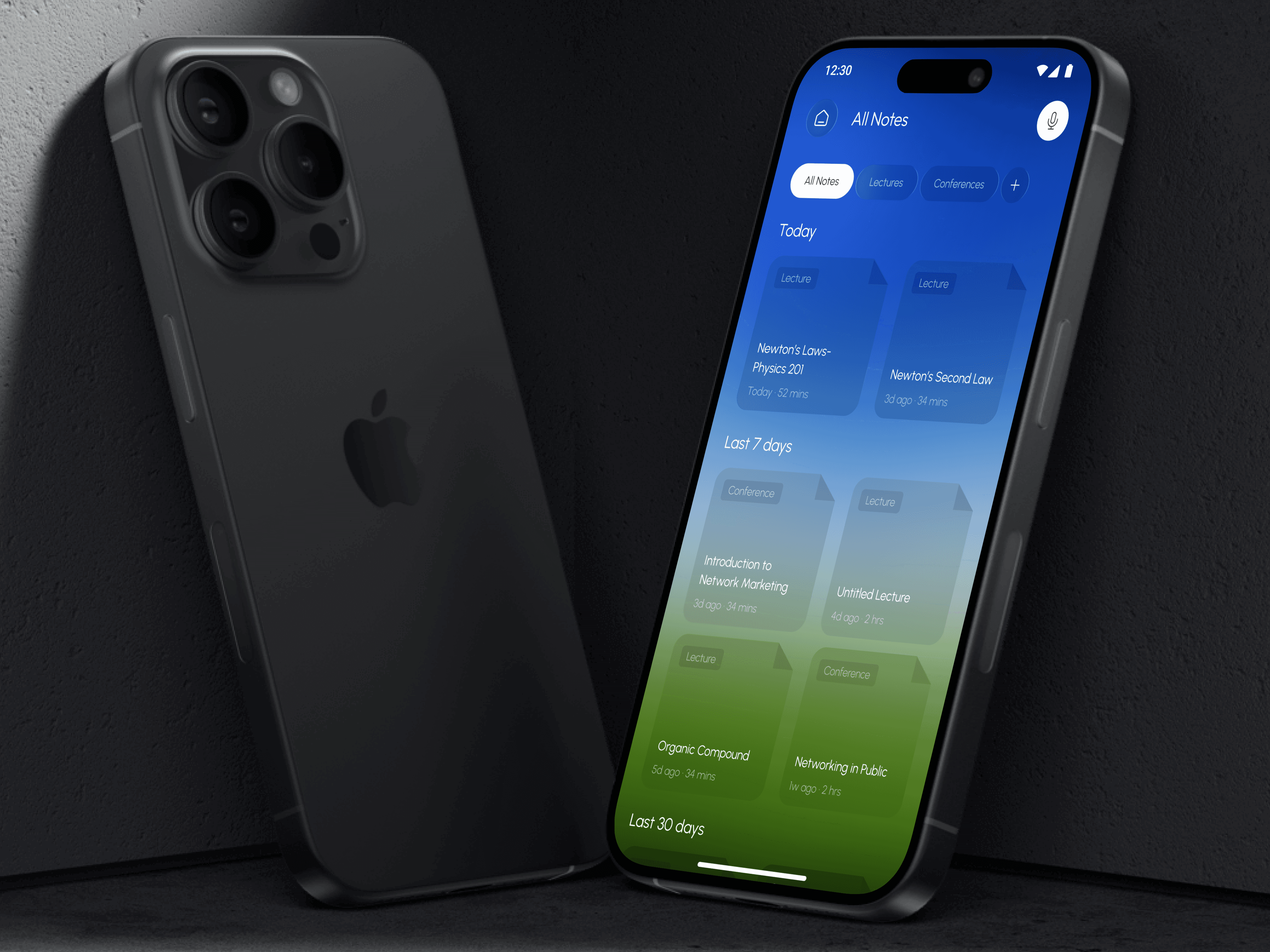
Categorized Card System: Designed a clean, tile-based "All Notes" view that automatically tags recordings as "Lecture" or "Conference" and organizes them by chronological priority.
One-Tap Recording Hub: Created a simplified dashboard with a prominent "Start Recording" slider, ensuring users can capture sudden insights or start a meeting session instantly.

Client's Feedback
“Notea has completely changed the way I attend lectures. I no longer worry about missing a detail because the AI captures everything perfectly. The organization system is so intuitive that I can find notes from a week ago in seconds. It’s the ultimate productivity tool.”

